Tampilkan postingan dengan label Computer Tips And Tricks. Tampilkan semua postingan

Jumat, 22 April 2011

Special hidden google pages that are not visible to everyone

There are some special works of Google, that are known but to a select community of people. They are the  special  or hidden or lesser known of the Google pages, and are worth having a look at. Check them out !
splgooglepgs 600x373 The Special Hidden Google Pages
Google pages not visible to everyone

Google Moms
Rare Google Beta Logo and Google Holiday Logo’s
Google’s Metaplex
Google Heart 1 & Google Heart 2
Google Newsletter
Google’s Search Statistics and Tribute.
Google Doodles

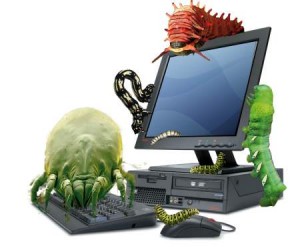
Simple but important Tips to Protect Your Computer From dangerous Viruses

Computer viruses are dangerous how to remove viruses and hot to protect computer from viruses
Anti-virus software is a necessity today to ensure the security of your computer and personal information. It is essential that you understand how viruses get into your computer and know how to prevent them from getting in. Unfortunately for us, there are many people out there who get a rise out of writing small programs that find ways onto our computers and in most cases destroy personal file, data or steal out identity. This article explains some steps we can take to defend ourselves.

What is a computer virus?

A computer virus is a small program that piggybacks on legitimate programs. It is called a virus because it shares the traits of a biological virus where is passes from one computer to another in the same manner a biological virus passes from one person to another person. Once a computer virus is running, it can infect other programs and documents.

Types of computer viruses:

There are many types of viruses but the most common are:

- Viruses: a small software program that attaches itself to other programs and/or documents
- E-mail viruses: these viruses move around through email and usually replicates itself by automatically mailing itself to people in the victim's address book
- Trojan horses: this is a computer program that claims to do one thing but instead does another such as erase your hard drive
- Worms: this is a program that finds a small hole in computer network security and replicates itself on to other computers on that network.

How does a virus get into our computer and how do they spread?

Some of the most common ways a virus can get on your computer are:

- Downloading a program from an unknown source and running it
- Opening a file attachment from an e-mail
- Sharing infected files from one computer to another on a floppy disk
- Opening an electronic greeting card, audio and video files

What are the signs of a virus, am I infected?

- Your computer runs slower than normal
- The computer stops or locks up
- Your computer crashes and restart every few minutes
- The computer restarts on its own and does not run properly
- Applications on your computer do not run properly
- Hard drives or disk are not accessible
- Your computer cannot print properly
- Unusual error messages appear
- Menus and dialog boxes are distorted

What kinds of damage can a virus do?

The damage a computer virus can do depends on the type of virus it is. Here are some common threats.

- They can delete or change files. Some viruses will delete all your files or even reformat your hard drive making your computer unusable
- Other viruses will steal personal information like credit card numbers, account numbers and passwords
- Some viruses will slow down your computer dramatically
- Some viruses change security settings allowing hackers to gain access to your computer and steal information
- Other viruses like worms infect computers on a network

What you can do to protect your computer from viruses?

There are number of ways to protect your computer from a virus:
- Do not open any attachments your received in an e-mail even if you know the person who sent it. That person may not be aware they are sending an infected files.
- If you receive an e-mail with an attachment from some one your do not know, DELETE the e-mail right away.
- Before you copy a file to your computer, scan it with an anti-virus program
- If you download a file from the Internet, copy it to your hard drive first, scan it with an anti-virus program before to open the file or run it.
- if some sends you a greeting card or a joke that you have to launch to view, be awry and stay on the safe side and do not open it
- The best defense against computer viruses and to use an anti-virus program that will scan your e-mail, act as a firewall, hard drive and keep up-to-date with the latest viruses. It is reported that there are over 500 new viruses discovered each month.

Fortunately for us, there are a number of software programs available to prevent, detect and kill computer viruses. I recommend the one below, I use it and it is one of the most popular anti-virus programs around.

Rabu, 09 Maret 2011

Top Ten most viewed and downloaded Antivirus 2011

Top vAntivirus 2011

Most Antivirus companies have by now unhindered their newest software, the 2011 version of their antivirus software. In view of the fact that the numbers of viruses over the internet are exceeding to the unbearable limits, antivirus companies are aggressively effective on their antivirus programs to provide the best wellbeing and thus building their way in the top ten antivirus 2011 worldwide. It was exceptionally appealing to test innumerable antivirus software on our lab computers. We infected our computer systems to completely test the capabilities of these antivirus programs. Among the best we found are the Bitdefender antivirus, Norton, F-Reliable, ESET Nod32 and Kaspersky antivirus 2011. Even as BitDefender antivirus 2011 continues to be the best antivirus software, Kaspersky is still the best antivirus and wellbeing software manufacturer for affair computers. Bitdefender and F-Reliable are both excellent for home and affair computers.
Here are the much awaited consequences. We have by now tested these antivirus software and so far, this is the most wide-ranging and best “top ten antivirus 2011″ review on the internet! If you plot to buy any of these software, you can check for antivirus coupons to save money on these top ten antivirus 2011 programs.
Antivirus Speed Stealth Configuration Price
BitDefender Antivirus 2011
Review | Download
ranks ranks ranks ranks
Norton Antivirus 2011
Review | Download
ranks ranks ranks ranks
F-Reliable Antivirus 2011
Review | Download
ranks ranks ranks ranks
ESET NOD32 Antivirus 4
Review | Download
ranks ranks ranks ranks
Kaspersky Antivirus 2011
Review | Download
ranks ranks ranks ranks
TrendMicro Antivirus 2011
Review | Download
ranks ranks ranks ranks
Panda Antivirus 2011
Review | Download
ranks ranks ranks ranks
AVG Antivirus 2011
Review | Download
ranks ranks ranks ranks
ZoneAlarm Antivirus 2011
Review | Download
ranks ranks ranks ranks
G Data Antivirus 2011
Review | Download
ranks ranks ranks ranks

Top Ten Antivirus 2011 Hard


To rate the top ten antivirus 2011 a strong criteria is used. The antivirus software are leisurely on innumerable factors like equipment, stealth, speed, price, support, configuration, ease of use and more. As we go on with time, speed keeps apt even more valuable business. Also, pricing is a additional major business that we built-in even as ranking the top ten antivirus 2011 software. The list of best antivirus software 2011 is quite long. We considered the following antivirus software list to come up with the top ten antivirus 2011.
  • BitDefender Antivirus 2011
  • Norton Antivirus 2011
  • F-Reliable Antivirus 2011
  • ESET NOD32 Antivirus 4
  • Kaspersky Antivirus 2011
  • TrendMicro Titanium Wellbeing
  • Panda Antivirus 2011
  • AVG Antivirus 2011
  • G Data Antivirus 2011
  • ZoneAlarm Antivirus 2011
  • Vipre Antivirus 2011
  • McAfee Antivirus Plus 2011
  • CA Antivirus 2011
  • Avanquest SystemSuite 11 Professional
  • Avira Antivir Premium 2011
  • Sophos Endpoint Wellbeing 2011
  • Comodo Antivirus 2011
  • PC Tools Spyware doctor with Antivirus 2011
  • Quick Heal Antivirus 2011
  • Microsoft Wellbeing Essentials 2011
These are some of the best-of-the-best antivirus software and we have elected the top ten antivirus 2011 out of these antivirus programs. These wellbeing software were tested on innumerable factors. Some of the factors we considered to judge these antivirus software are:
  • Speed – Antivirus software must be quick. Only the greatest antivirus will make for the top ten list.
  • Price – Antivirus software must be cheaper. The last business we want is an high-priced cut of software.
  • Stealth – Antivirus software must be able to notice and take out all virus, spyware and malicious codes.
  • Configuration – Antivirus software must be simple to configure and simple to run scans.
  • Updates – Updates must be fixed and must not interrupt a user.
  • Real-time – Antivirus programs must provide real-time scanning options to notice and check real-time threats.
  • Support – Antivirus Companies must provide passable with-sale support, related to the product.
These are just a few factors that have been considered even as ranking the top ten antivirus 2011 software. Based on these factors, we have provided our lab test consequences. What do you reckon about this list of top 10 antivirus 2011? Are you using any of these antivirus software? Would you like to impart your views and reviews with our users? Delight impart your encounter by leaving a review below.

very simple Trick to Lock Your Computer Using Mouse

Simple Trick to Lock Your Computer Using Mouse Simple Trick to Lock Your Computer Using Mouse
lock your PC with mouce
Today lets see a simple trick on how to lock your PC using mouse click.We normally use Alt+Ctrl+Del or Windows+L to lock our PCs.Instead of trying those windows keyboard shortcut keys to lock Pc, lets now tryout something new icon wink Simple Trick to Lock Your Computer Using Mouse .Some might have already know this trick already…
1. Just Right click on the desktop, point to New and click Shortcut.
2. In the Create Shortcut dialog box, copy the following into the ‘Type the location’ of the item text box:
“rundll32 user32.dll,LockWorkStation” remove quotes while typing.
3. Click Next.
4. In “Type a name for this shortcut”, type LOCK MY PC and Click Finish
5. Now just double click on the icon, your desktop will be locked.
Though this is a age old trick.It makes some difference to newbies icon smile Simple Trick to Lock Your Computer Using Mouse